Categories
How Can I Remove / Unlink A Client's Social Accounts?
To delete/disconnect a client’s account:
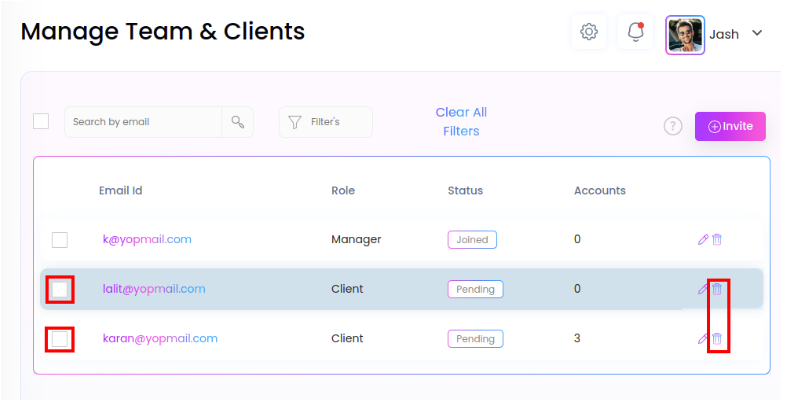
- Go to “Manage Team and Clients.
- Tick the clients you want to remove or disconnect and hit the “delete” icon.
Note: Your clients are unable to permanently disconnect or delete their accounts. This restriction ensures that you retail all the data associated with an account, even if a client chooses to disconnect or delete it.