
Save an idea. Reuse it when the time is right.
Keep useful captions, posts, and hashtags together in your content library.
Orient yourself on the page
Design-preview images. These captures use sample data from the redesigned workspace. Illustrations use sample data. Available controls and results depend on your connected platform and account permissions.
Use this overview to locate the main controls before following the focused illustrations below.
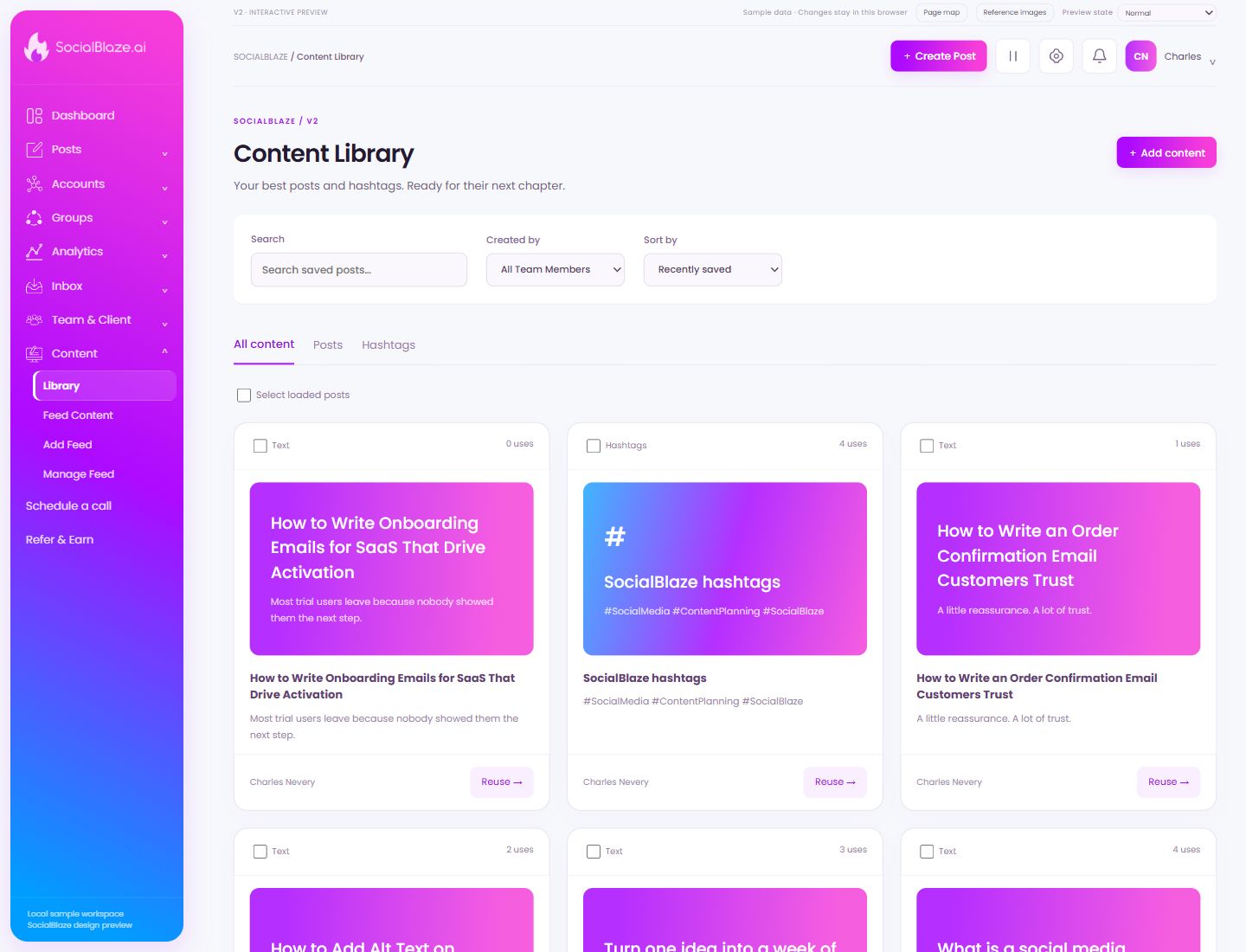
Save new library content
Open Add content and choose the content type. Give it a useful name, add the reusable caption or hashtags and media as needed, then review its saved card.
Find saved library content
Search for a recognizable title or caption phrase. Check the content-type tab and creator filter as well. Clear the search to browse the selected collection again.
Find content saved by a person
Choose a team member to narrow the saved content list. Return to All Team Members to include the whole available collection. The search query and content-type tab still apply.
Choose the library order
Choose recently saved, recently used, most used, or least used according to your task. Sorting changes the order of the cards; it does not edit their content.
Browse the complete library
Use All content to see saved posts and hashtag sets together. Search, creator, and sort selections can still affect the visible cards.
Work with comments on published posts
Use Posts to browse post conversations. Select a post in the left column; the main panel shows its original content and comments so your reply has context.
Inspect hashtag content or performance
On analytics pages, use this tab for hashtag-related reporting. In the content library, the same label filters saved hashtag sets. Read the page heading to distinguish those workflows.
Select a specific item
Select this checkbox to include only this item in a batch action. Review the selected count and each selected row before using bulk controls. Clear the checkbox to exclude it again.
Start a new post from saved content
Reuse opens the saved content in the full composer. Review the caption, media, links, selected accounts, and schedule before saving or publishing the new post.
Select a specific item
Select this checkbox to include only this item in a batch action. Review the selected count and each selected row before using bulk controls. Clear the checkbox to exclude it again.
Inspect the saved content
Open the preview for this specific card. Read the saved text and inspect its media before reusing it in the composer.
Select a specific item
Select this checkbox to include only this item in a batch action. Review the selected count and each selected row before using bulk controls. Clear the checkbox to exclude it again.
Inspect the saved content
Open the preview for this specific card. Read the saved text and inspect its media before reusing it in the composer.
Select a specific item
Select this checkbox to include only this item in a batch action. Review the selected count and each selected row before using bulk controls. Clear the checkbox to exclude it again.
Select a specific item
Select this checkbox to include only this item in a batch action. Review the selected count and each selected row before using bulk controls. Clear the checkbox to exclude it again.
Select a specific item
Select this checkbox to include only this item in a batch action. Review the selected count and each selected row before using bulk controls. Clear the checkbox to exclude it again.