Categories
How Do I Create A Group?
To create a group in Social Blaze, follow these steps:
- Sign in to your Social Blaze account.
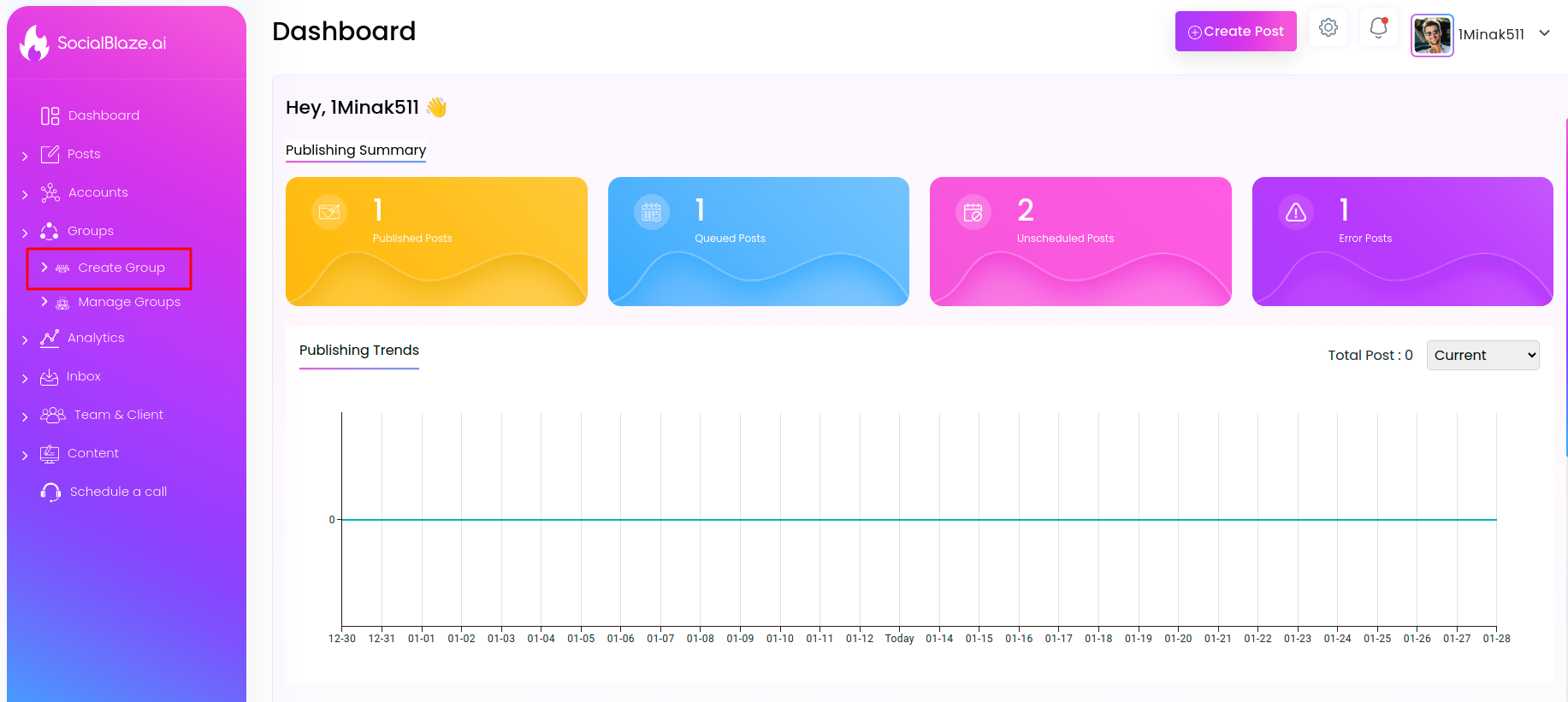
- Click on ‘Groups’ → ‘Create Group’ on the dashboard.
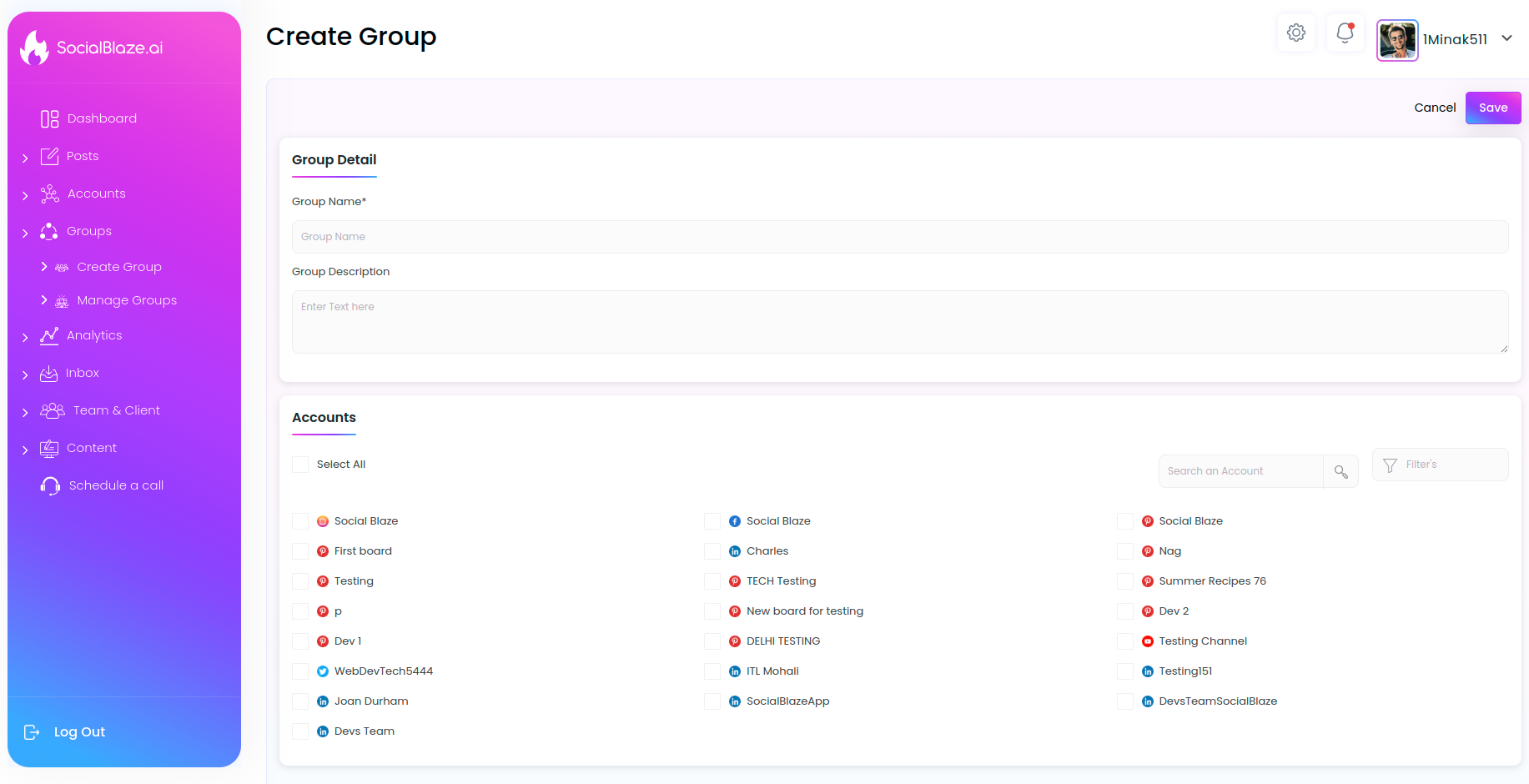
- Give a name to your group to identify the grouped accounts.
- Write a group description that describes your group and provides relevant information about it.
- Choose the accounts you want to include in the group. You can also add an account to multiple Groups.
- Click the ‘Save’ button in the top right corner to complete the process.
Now, you can use this Group when publishing a post to multiple accounts with just one click. This saves you a lot of time and effort. Plus, you don’t miss any of the accounts that you want to publish on.