
Facebook Analytics · visual field guide
An illustrated tour of Facebook Analytics with focused images of its controls and settings.
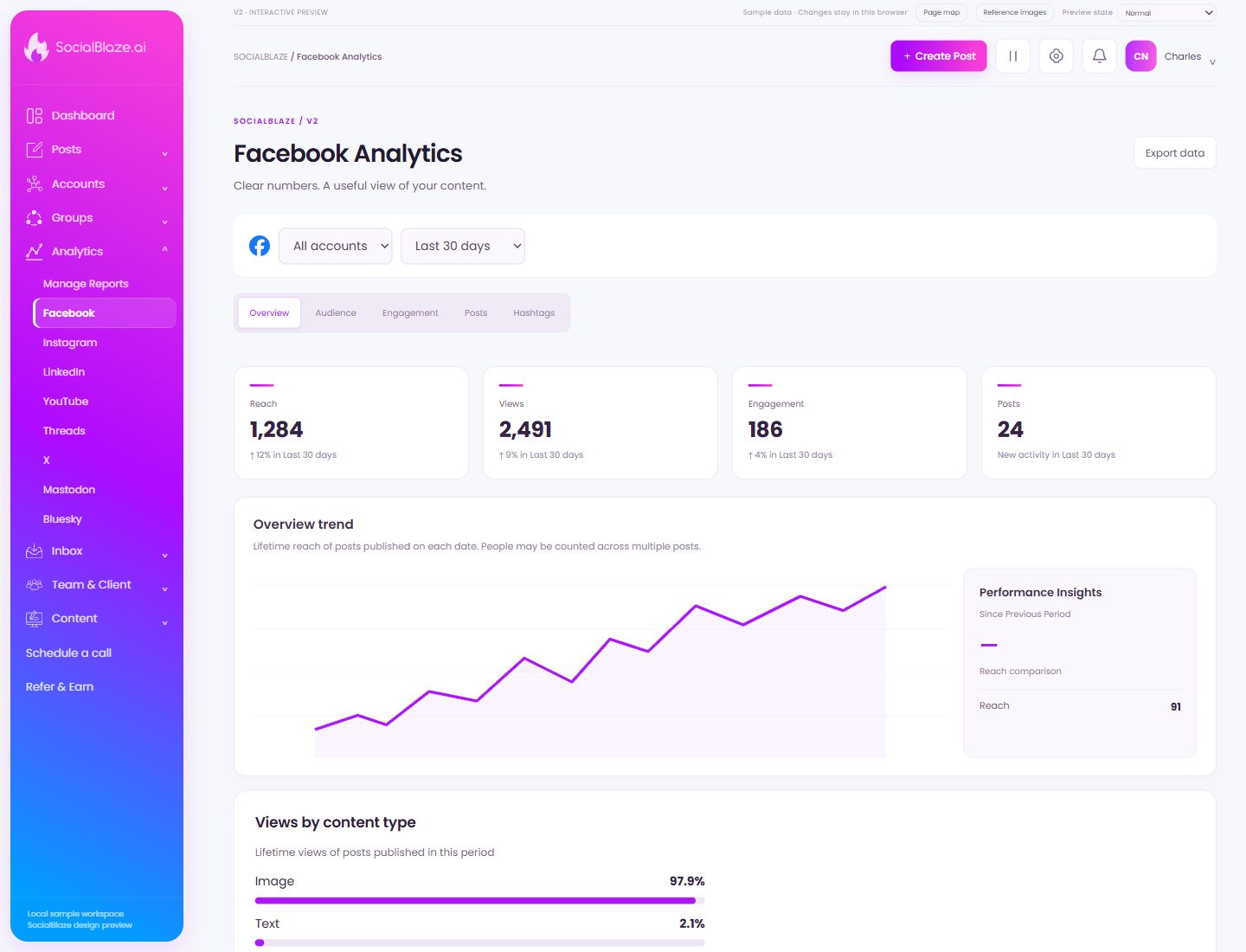
Orient yourself on the page
Design-preview images. These captures use sample data from the redesigned workspace. Illustrations use sample data. Available controls and results depend on your connected platform and account permissions.
Use this overview to locate the main controls before following the focused illustrations below.
Download the current analytics selection
Choose the account, period, and analytics section first. Export the current selection and check the resulting file’s dates and account labels before sharing it.
Choose which account the numbers describe
Select the intended connected account before reading metrics. Account selection and date range work together; compare the same account and period when judging changes.
Choose the reporting period
Select the period you need, or set a custom range where available. Check the start and end dates before comparing totals or exporting data.
Start with the overall metrics
Overview brings the main totals and trend together. Read the selected account and period first. Use the more specific tabs to investigate the content or audience behind a change.
Inspect audience-related metrics
Open Audience to review the audience information provided for the selected account. Availability and definitions depend on the platform’s analytics support.
Inspect engagement metrics
Open the engagement view for the selected account and period. Read the metric labels and platform definitions before comparing totals across different social networks.
Work with comments on published posts
Use Posts to browse post conversations. Select a post in the left column; the main panel shows its original content and comments so your reply has context.
Inspect hashtag content or performance
On analytics pages, use this tab for hashtag-related reporting. In the content library, the same label filters saved hashtag sets. Read the page heading to distinguish those workflows.