
Manage Groups · visual field guide
An illustrated tour of Manage Groups with focused images of its controls and settings.
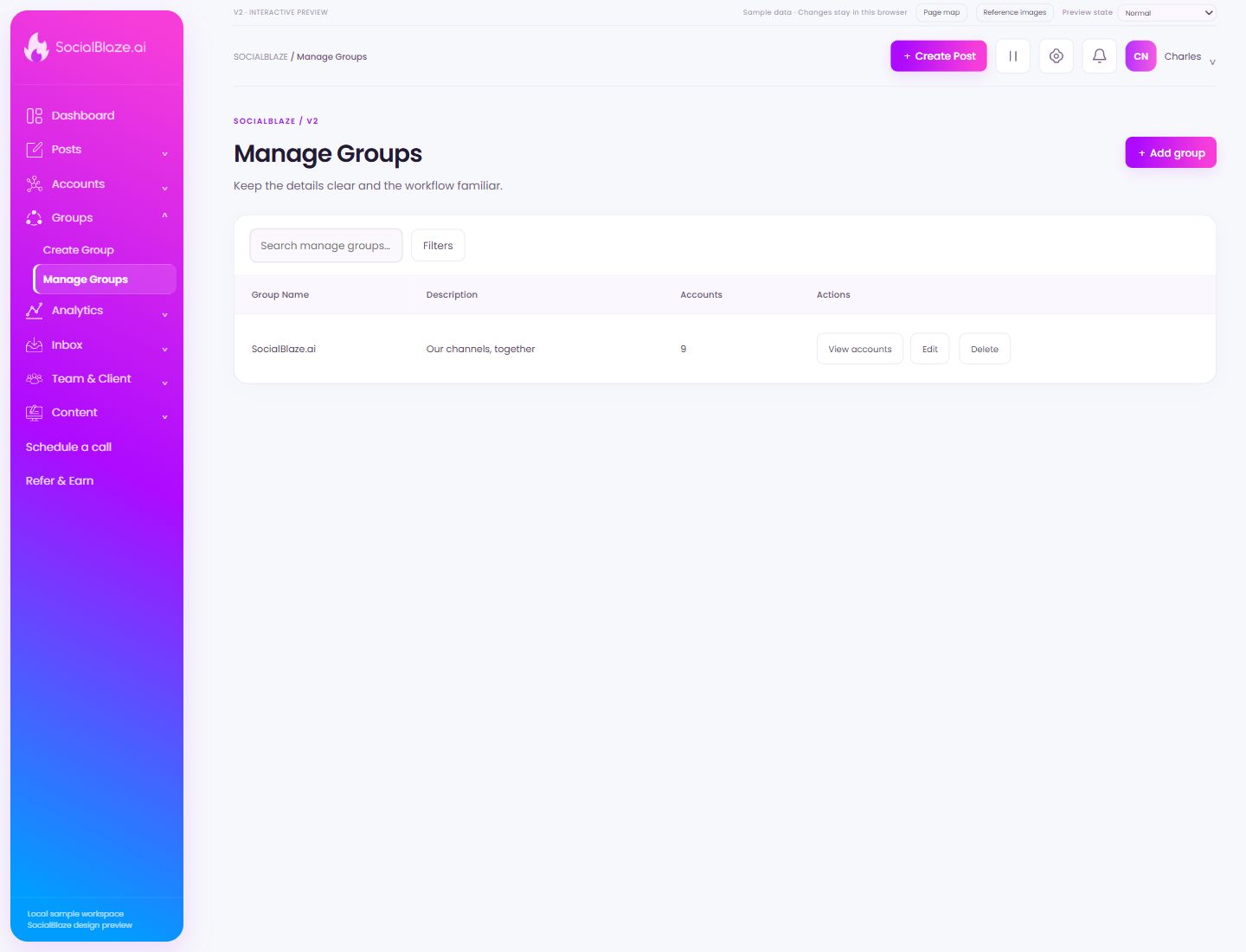
Orient yourself on the page
Design-preview images. These captures use sample data from the redesigned workspace. Illustrations use sample data. Available controls and results depend on your connected platform and account permissions.
Use this overview to locate the main controls before following the focused illustrations below.
Create a reusable account group
Give the group a recognizable name and select the intended connected accounts. Review the selected list before Save, then inspect View accounts to confirm the group’s members.
Search this collection
Enter a recognizable part of the item’s name. The current filters still apply to this search. Clear the query to return to the full selected collection.
Narrow the current list
Open Filters to see the options for this page. Apply only the conditions you need. If a known item disappears, review the active filters before assuming it was removed.
Inspect a group’s members
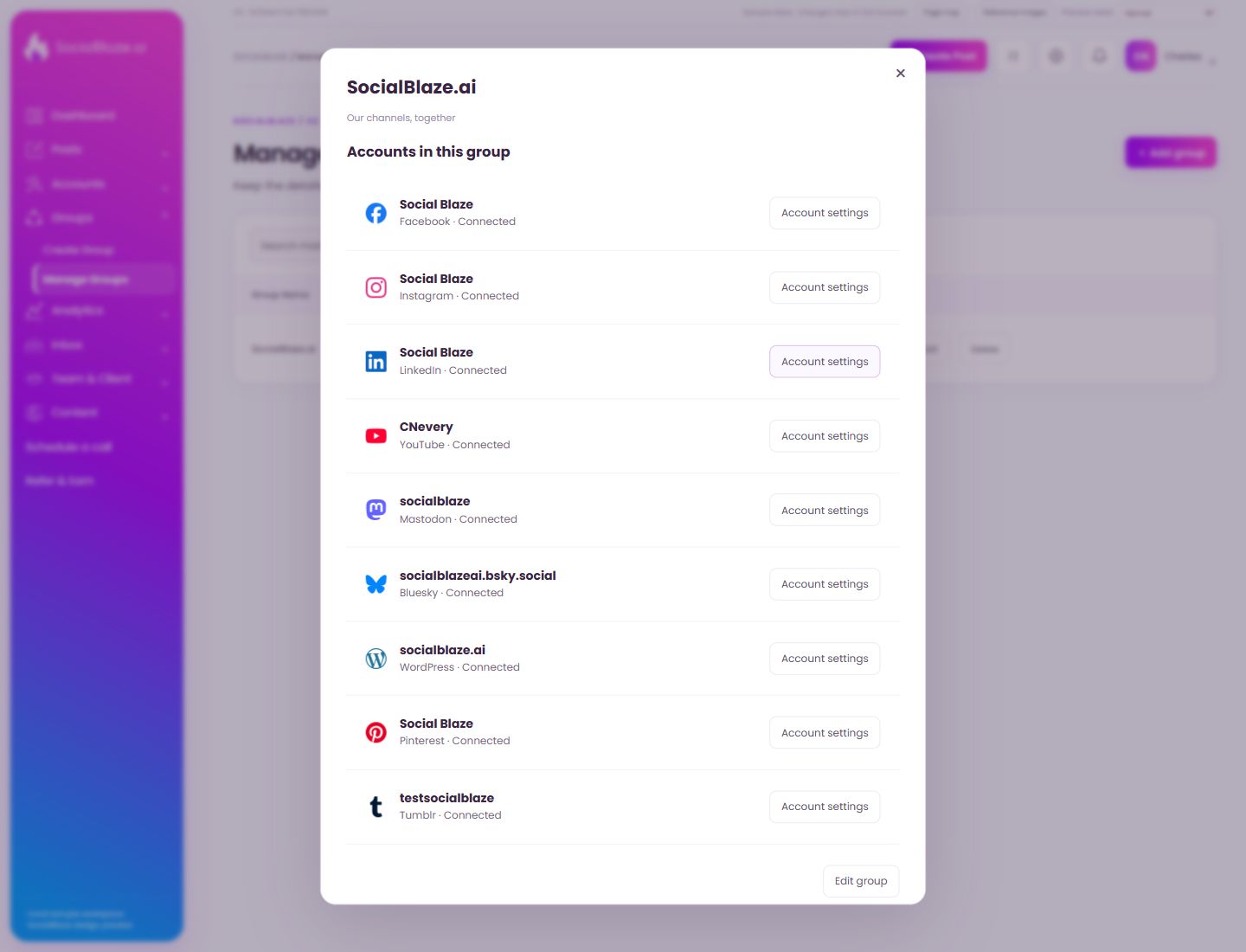
Open View accounts on the intended group. Check each platform and account name in the dialog. Group names alone do not tell you which profiles a posting action will select.
Open this item’s settings
Choose Edit on the intended row. Review the dialog before saving. A row action applies to that item, so check the name and platform rather than relying on its position in the list.
Review removal before confirming
Identify the exact item first, then read the confirmation carefully. Cancel if you only intended to edit, reconnect, or lock it. Removing a connection is different from deleting a social profile on its own platform.
Accounts in a group
Open the action on the intended item, then review the fields in this dialog. The focused illustrations below explain each setting separately.
Close the settings dialog
Close the dialog when you have finished reviewing it. Use its Save action to apply intended edits; read any unsaved-change confirmation before leaving.
Open settings for this group member
Check the account name and platform in the row, then open Account settings for that specific member. Editing the account and editing the group are separate workflows.
Change the group itself
Open Edit group to change the group name, description, or selected account members. Review the selected profiles before saving.